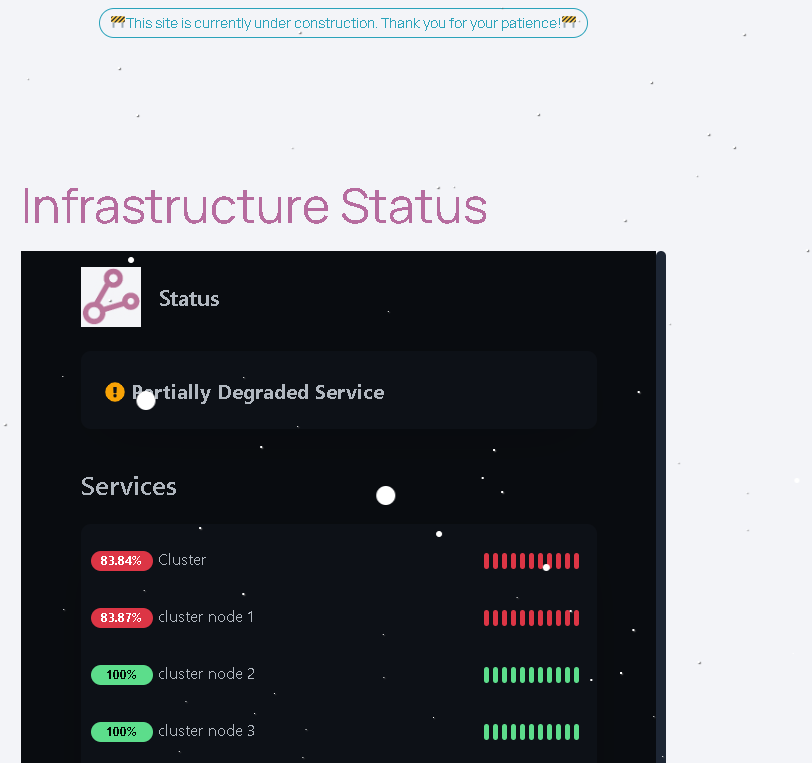
You can now visit the status page on the website to view uptime & availability of lab2prod infrastructure!

🚧This site is currently under construction. Thank you for your patience!🚧
Default category for blog posts.
You can now visit the status page on the website to view uptime & availability of lab2prod infrastructure!
Today I decided why not try to improve upon my last post where I created two scripts. One script for starting 3 game servers, the second script to check the status of said servers. After much consideration on how to make this process even more efficient I decided to build 3 services instead. Eliminating cronjobs and extra scripts laying around in my directories. With this method I can run a service file instead that runs even on reboot with no extra configuration. Then, utilize my checkall script after modifying it a bit to serve the same function it did before. Here are some clips of building & debugging the service, to real-time server testing! I only preview 1 server service in these videos but I have built services for all 3 already which work great.
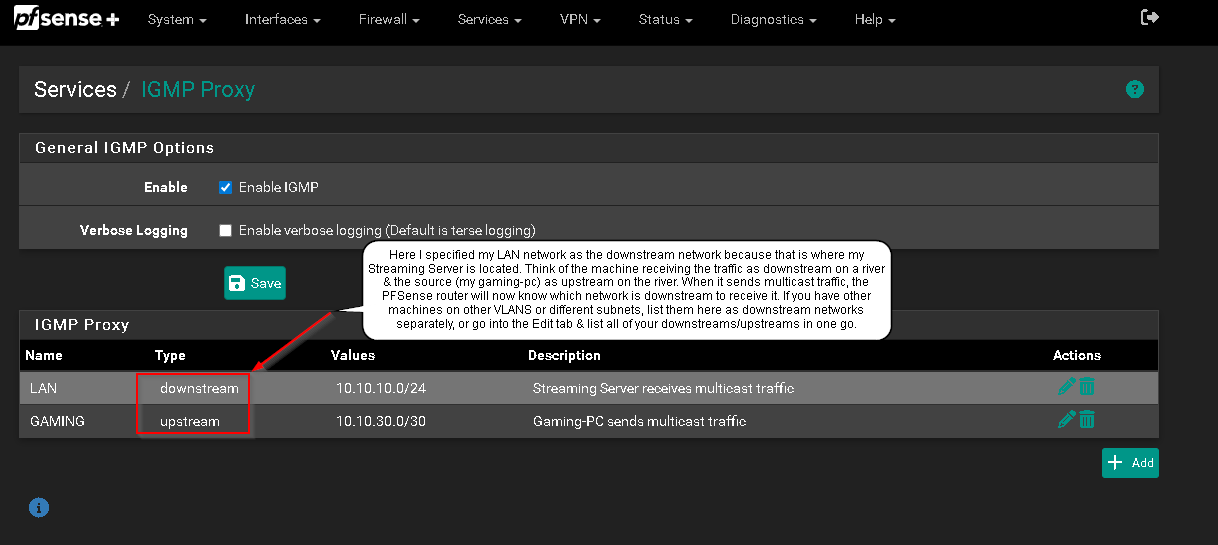
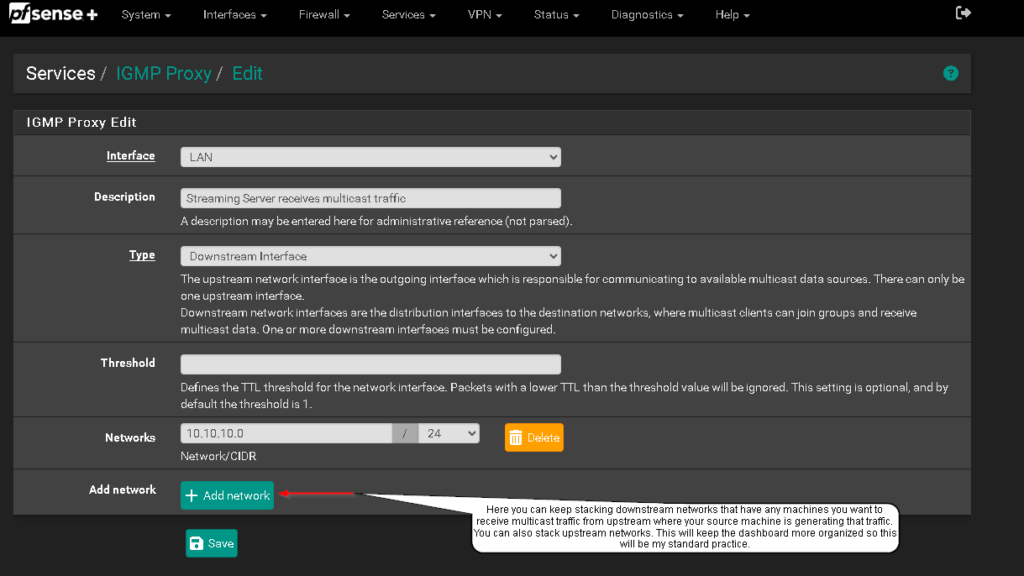
The other night I was attempting to setup OBS over NDI up again. Everything went smooth until I couldn’t get auto-discovery to work over VLANS. Started troubleshooting everything I could think of on PFSense thinking it was possibly a VLAN misconfiguration even though it’s worked smoothly for all other protocols & services on my network in the past. With enough googling I found that it could be an issue with multicast because PFSense by default only utilizes it on the same network for good reasons. I knew the functionality over VLANS was available with the NDI software so I didn’t want to take the easy way out of putting my gaming machine back onto my default VLAN where my streaming server sits risking performance & security issues. So if you want to stream or record over NDI with machines on separate VLANS or subnets, you can utilize IGMP Proxy on PFSense as I will break-down below. This is what I love about starting new projects. I get to learn as I build while adding new tools to my go-to list. IGMP Proxy was a saving grace in this situation so I hope this article helps you with your NDI struggles.
Created two scripts today to automate some server tasks. These scripts being for one of my Ubuntu game servers running on Proxmox VE. With some simple bash I was able to utilize the screen command to autostart my servers without having to enter each servers directory & run the server executable myself. Not only that, but receive precise feedback for each startup to verify they started with 0 issues. Here’s the scripts working in real-time. Even successfully running on startup fully automated. I will be posting these scripts for download now! https://lnkd.in/gE_SB48c
After getting some time yesterday to revise a script I have rewrote many times I think it’s finally time to upload and make it available and open for suggestions. Here are some snippets of it in action. It can be found on the Downloads page.
It’s finally here! Last night I made some advancements on my status page. Using PHP & shortcode I was able to put together a function that parses an xml file from my FS 25 server, then displays that data in real-time on my page. Allowing community members to see who is online, how many players there are, & server status. Check it all out here! –> Gaming Servers Status
After a few months of utilizing the Yoast SEO free-edition plugin I have found myself at #3 on Google. Keep in mind this was after a simple install of the plugin and a few basic tweaks to the settings. I can honestly say for someone who knows very little about SEO this makes it insanely simple to get started learning. I will be documenting my challenges and successes with SEO in these coming weeks. Wish me luck!
This morning I am conducting the migration of my email server which will temporarily take all mail notifications offline for about 1 hour between 8:35 am CST – 9:35 am CST.