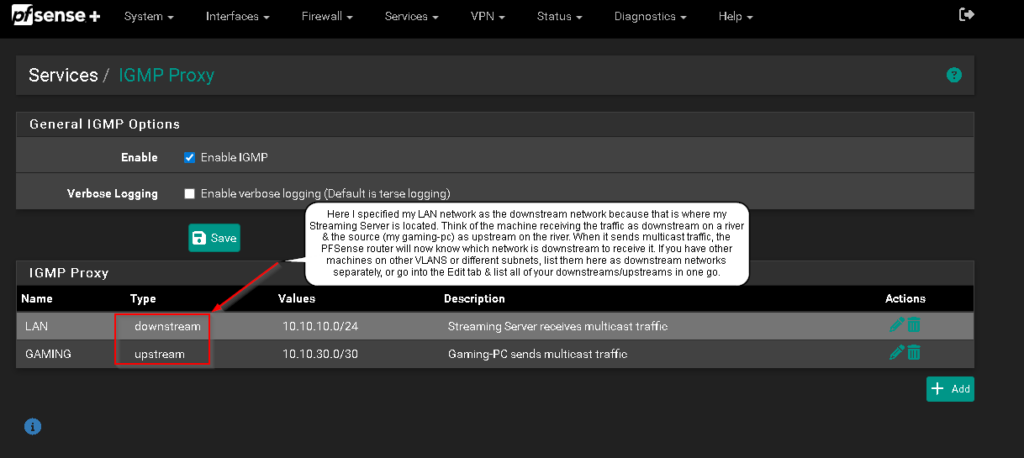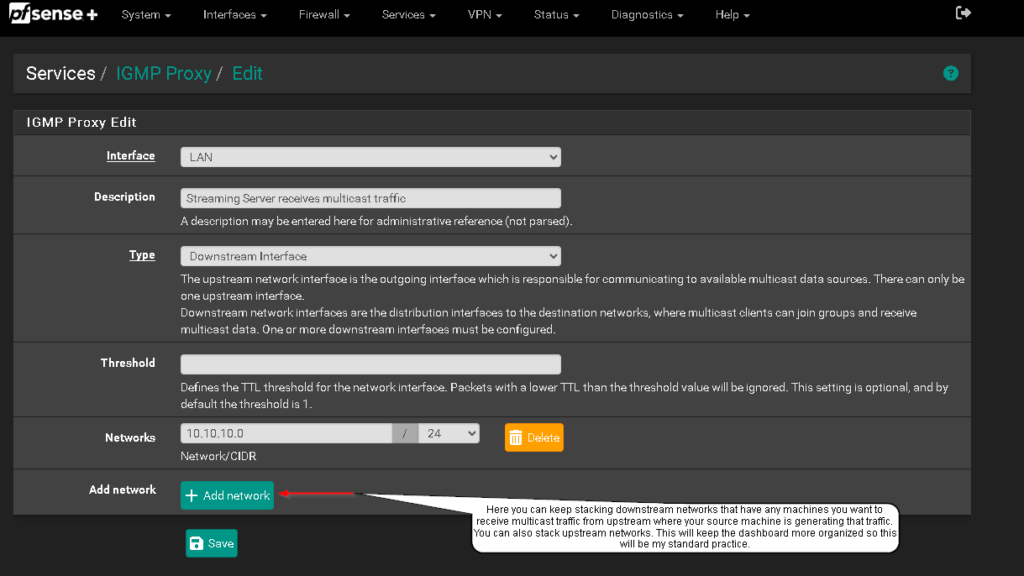
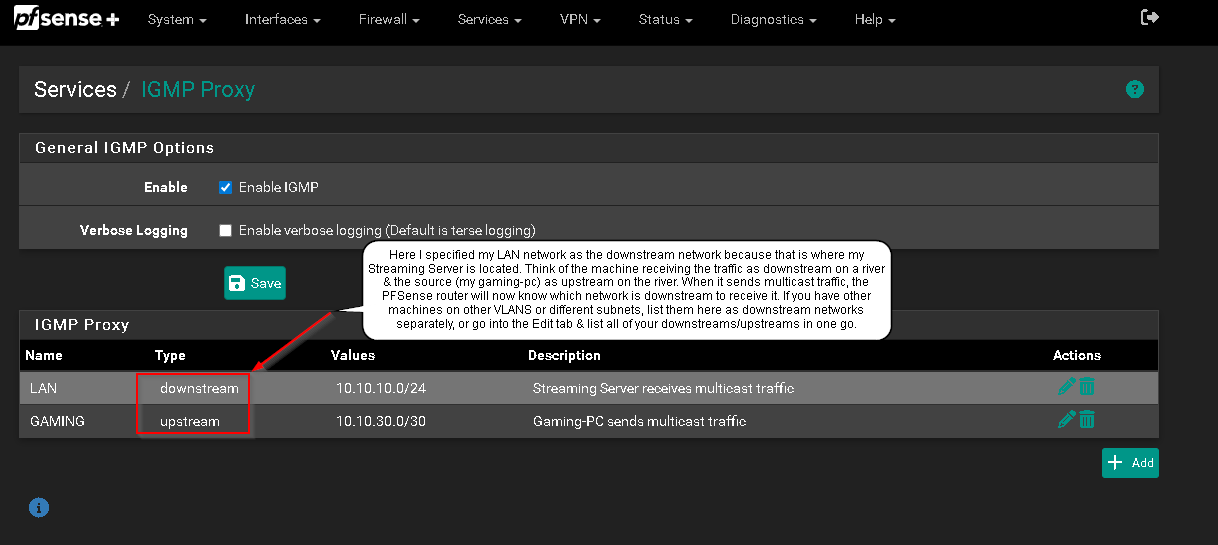
The other night I was attempting to setup OBS over NDI up again. Everything went smooth until I couldn’t get auto-discovery to work over VLANS. Started troubleshooting everything I could think of on PFSense thinking it was possibly a VLAN misconfiguration even though it’s worked smoothly for all other protocols & services on my network in the past. With enough googling I found that it could be an issue with multicast because PFSense by default only utilizes it on the same network for good reasons. I knew the functionality over VLANS was available with the NDI software so I didn’t want to take the easy way out of putting my gaming machine back onto my default VLAN where my streaming server sits risking performance & security issues. So if you want to stream or record over NDI with machines on separate VLANS or subnets, you can utilize IGMP Proxy on PFSense as I will break-down below. This is what I love about starting new projects. I get to learn as I build while adding new tools to my go-to list. IGMP Proxy was a saving grace in this situation so I hope this article helps you with your NDI struggles.